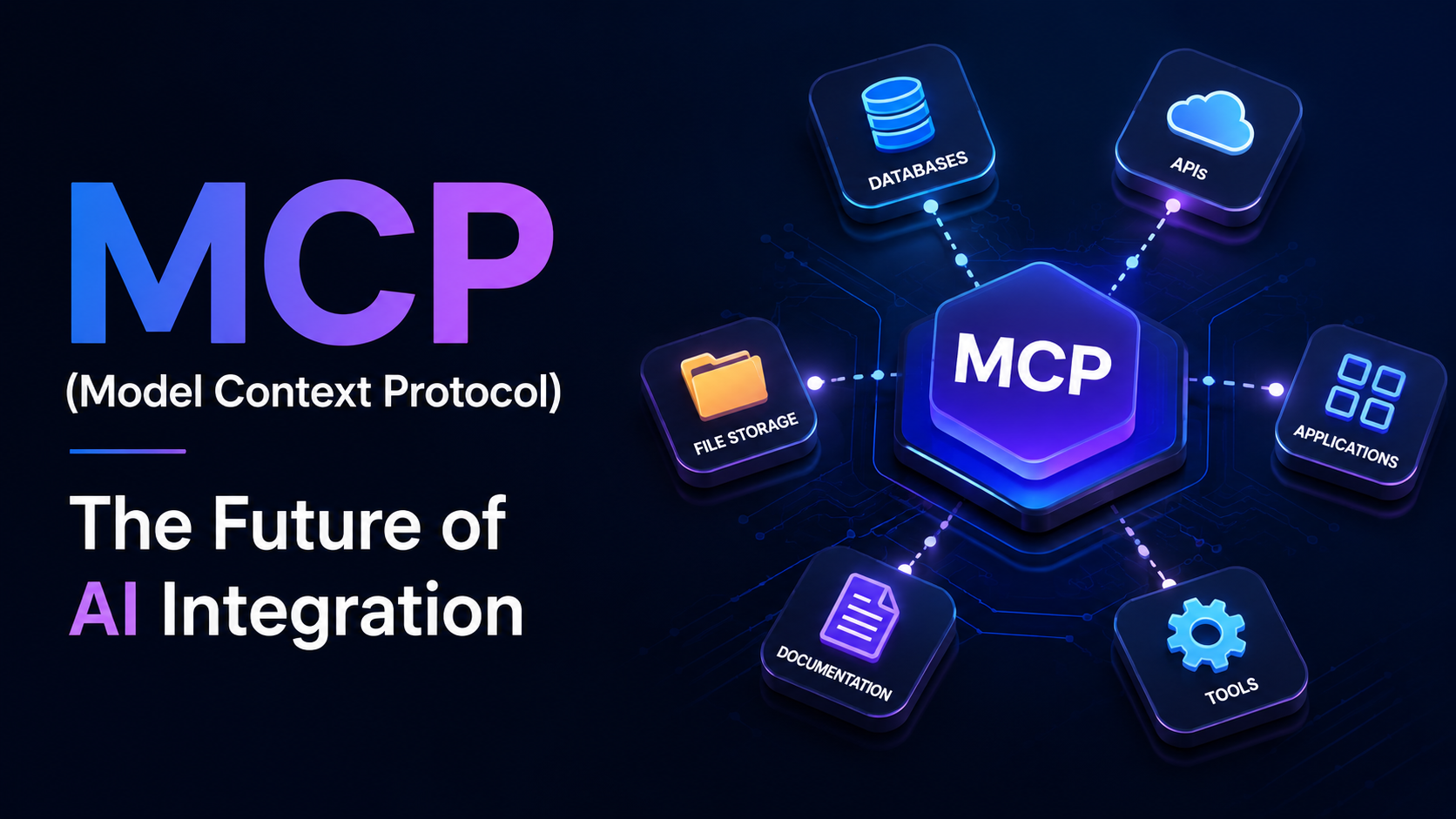
MCP (Model Context Protocol): The Future of AI Integration
Published on Sep 2 months ago · By FlipCode Team
Artificial Intelligence has evolved far beyond simple chatbots. Today's AI systems can write code, analyze massive datasets, automate workflows, retrieve business information, and even perform complex tasks across multiple applications. As organizations increasingly adopt AI, one major challenge has become apparent—how can AI securely interact with real-world systems?
Modern businesses depend on a wide range of digital platforms, including CRM systems, ERP software, cloud storage, project management tools, databases, APIs, and internal documentation. Traditionally, integrating AI with each of these systems required developers to build separate connectors for every application, resulting in higher costs, increased maintenance, and slower development.
This is where Model Context Protocol (MCP) changes the landscape. Introduced as an open standard for AI integrations, MCP provides a secure, standardized, and scalable way for AI models to communicate with external tools and business systems.
Rather than building dozens of custom integrations, developers can expose resources through a single protocol that works across multiple AI applications. As AI assistants and autonomous AI agents continue to evolve, MCP is rapidly becoming one of the most important technologies shaping the future of enterprise AI.
Model Context Protocol (MCP) is an open communication standard that enables AI applications to securely access external tools, business systems, APIs, and data sources through a standardized interface.
Instead of exposing raw APIs directly to AI models, MCP introduces a structured communication layer that allows AI systems to discover available resources, understand their capabilities, and interact with them safely and consistently.
Developers build an MCP Server once, exposing resources in a standardized format. Any compatible AI application can then access those resources without requiring additional custom integrations.
This dramatically reduces development effort while improving interoperability across AI platforms.
Organizations today use dozens of business applications that store valuable information and perform critical operations. These systems often have completely different APIs, authentication methods, request formats, and permission models.
Examples include:
Before MCP, developers had to build separate integrations for every AI platform and every external application. As organizations adopted more AI tools, maintaining these integrations became increasingly expensive and difficult.
An enterprise AI assistant may need to:
Without MCP, each system requires its own API integration, authentication flow, and maintenance. MCP standardizes this communication through a single protocol.
A typical Model Context Protocol architecture consists of four major components that work together to securely connect AI applications with external systems.
The AI Client is the application users interact with directly. It understands user requests and determines whether external information or actions are required.
Examples include:
The MCP Client acts as the communication bridge between the AI application and available MCP Servers.
Its responsibilities include:
Instead of every AI application implementing separate integrations, the MCP Client handles communication using a common protocol.
The MCP Server exposes business capabilities in a standardized format that AI applications can safely consume.
Examples include:
The server is also responsible for authentication, authorization, permission validation, and security.
These are the actual systems that AI needs to interact with.
The AI model never accesses these resources directly. Every interaction flows through the MCP Server, creating a secure boundary between AI and enterprise systems.
Although MCP simplifies AI integrations, its workflow follows a logical sequence that ensures both security and efficiency.
Developers no longer need separate integrations for every AI platform. A single MCP implementation can support multiple AI clients.
Instead of spending weeks building custom connectors, development teams can focus on delivering business value.
Authentication, authorization, permissions, and auditing remain under organizational control rather than inside AI applications.
Existing MCP integrations can be reused whenever new AI applications are introduced.
Because communication follows a standardized protocol, API changes have far less impact compared to traditional integrations.
A consistent communication model reduces complexity, improves productivity, and accelerates innovation.
The true strength of Model Context Protocol (MCP) becomes evident when it is applied to real business scenarios. Instead of limiting AI to answering questions, MCP enables AI systems to securely interact with enterprise applications, automate workflows, and perform meaningful tasks across multiple platforms.
Organizations often store valuable information across documentation platforms, internal wikis, HR portals, and knowledge bases. Finding the right information can be time-consuming for employees.
With MCP, AI assistants can securely retrieve relevant information from multiple sources and provide accurate, contextual responses within seconds.
An employee can simply ask:
Instead of manually searching through dozens of documents, the AI retrieves the latest approved policy using MCP and provides a concise answer.
Modern software development involves multiple tools such as GitHub, Jira, CI/CD pipelines, documentation platforms, and testing frameworks.
Through MCP, coding assistants can securely interact with these tools from a single interface, allowing developers to stay focused without switching between applications.
Typical actions include:
Customer support teams frequently work with multiple business systems. AI agents powered by MCP can streamline support operations by securely interacting with these platforms.
Possible capabilities include:
Many business processes require information from multiple systems. Traditionally, integrating these systems requires custom development for every workflow.
With MCP, AI agents can coordinate activities across various platforms using standardized communication.
Examples include:
Business leaders require timely insights to make informed decisions. MCP enables AI assistants to securely query databases, analyze reports, and generate meaningful summaries while respecting organizational permissions.
The AI gathers data from approved databases through MCP and generates charts, summaries, and actionable insights.
One of the biggest reasons MCP has gained industry attention is its role in enabling AI Agents.
Unlike traditional chatbots that simply answer questions, AI agents can make decisions, execute tasks, interact with software, and complete multi-step workflows on behalf of users.
An AI agent powered by MCP can:
Since AI applications often interact with sensitive business information, security should remain a top priority when implementing MCP.
Organizations should consider:
A properly designed MCP implementation ensures that AI applications only access information and functionality they are explicitly authorized to use.
To build secure, scalable, and maintainable AI integrations, development teams should follow these recommended practices:
Artificial Intelligence is rapidly evolving from isolated applications into interconnected ecosystems where AI models collaborate with business software, cloud services, databases, and external tools.
As organizations continue investing in AI, interoperability is becoming increasingly important. Model Context Protocol provides the standardized communication framework required to support this new generation of intelligent applications.
Many industry experts compare MCP's potential impact to technologies such as REST APIs and OAuth, both of which became foundational standards for web services and authentication. In a similar way, MCP has the potential to become the universal language for AI integrations.
As adoption continues to grow, organizations that embrace MCP early will benefit from improved compatibility, reduced implementation costs, and greater flexibility when deploying future AI capabilities.
No. Although enterprise organizations benefit significantly from MCP, startups and individual developers can also use it to build scalable AI applications that interact with external services.
No. MCP does not replace APIs. Instead, it provides a standardized layer that allows AI applications to interact with existing APIs in a secure and consistent manner.
AI agents need access to external tools to perform meaningful tasks. MCP simplifies this process by offering one standardized protocol instead of requiring multiple custom integrations.
Yes. When implemented correctly, MCP supports authentication, authorization, role-based permissions, encryption, audit logging, and other enterprise-grade security practices.
Model Context Protocol (MCP) represents a significant step forward in how AI systems communicate with the digital world. Rather than relying on fragmented, custom-built integrations, MCP introduces a standardized approach that makes AI applications more secure, scalable, and easier to maintain.
Beyond simplifying integrations, MCP creates a future where AI can seamlessly collaborate with enterprise systems while maintaining strong governance, interoperability, and security. As AI assistants evolve into autonomous agents capable of executing complex workflows, standardized communication will become increasingly essential.
Whether you're building enterprise software, AI-powered customer support solutions, intelligent assistants, or next-generation autonomous agents, understanding and adopting MCP today will help create future-ready AI ecosystems capable of adapting to rapidly changing technologies.
MCP (Model Context Protocol): The Future of AI Integration
📚 What You'll Learn
What is Model Context Protocol (MCP)?
Think of MCP as the USB-C of AI integrations.
Just as a single USB-C port allows multiple devices to communicate without needing different connectors, MCP provides one universal protocol that allows AI applications to work with many different systems.
Why Was MCP Created?
Core Components of MCP
1. AI Client
Primary Responsibility:
Understand user intent and decide when external resources are needed.
2. MCP Client
3. MCP Server
Why this matters:
AI models never communicate directly with enterprise systems. Every request passes through the MCP Server, ensuring governance and security.
4. External Resources
How MCP Works
Key Insight:
This architecture separates AI reasoning from business system access, creating a secure and scalable integration model.
Benefits of Model Context Protocol
1. Standardized Integration
2. Faster Development
3. Improved Security
4. Better Scalability
5. Easier Maintenance
6. Better Developer Experience
MCP vs Traditional API Integration
Feature
Traditional API Integration
Model Context Protocol (MCP)
Integration Approach
Custom for every application
Standardized
Development Time
High
Lower
Maintenance
Complex
Simplified
Scalability
Limited
High
Security
Depends on implementation
Centralized
Reusability
Low
Excellent
Interoperability
Limited
Excellent
Real-World Use Cases of MCP
1. Enterprise Knowledge Assistants
"What is our company's remote work policy?"
2. AI Coding Assistants
3. Customer Support Automation
Business Impact
Support teams spend less time switching between applications, leading to faster response times and improved customer satisfaction.
4. Business Workflow Automation
5. Business Intelligence & Analytics
"Show me the sales performance for the last quarter compared to the previous year."
MCP and AI Agents
Why MCP Matters
Without MCP, every one of these actions requires separate integrations. With MCP, AI agents gain standardized access to business tools through a single protocol.
Security Considerations
Best Practices for Implementing MCP
Pro Tip
Treat your MCP Server like an enterprise API gateway. The stronger your governance and permission model, the safer your AI ecosystem becomes.
The Future of AI Integration
Key Takeaways
Frequently Asked Questions (FAQs)
Is MCP only for enterprise applications?
Does MCP replace APIs?
Why is MCP important for AI agents?
Is MCP secure?
Final Thoughts
Final Takeaway
MCP is not just another integration protocol—it is laying the foundation for the next generation of connected, intelligent, and enterprise-ready AI applications.